Back to work
//Mobile Application

AdvancePay

Designing a clearer digital lending experience

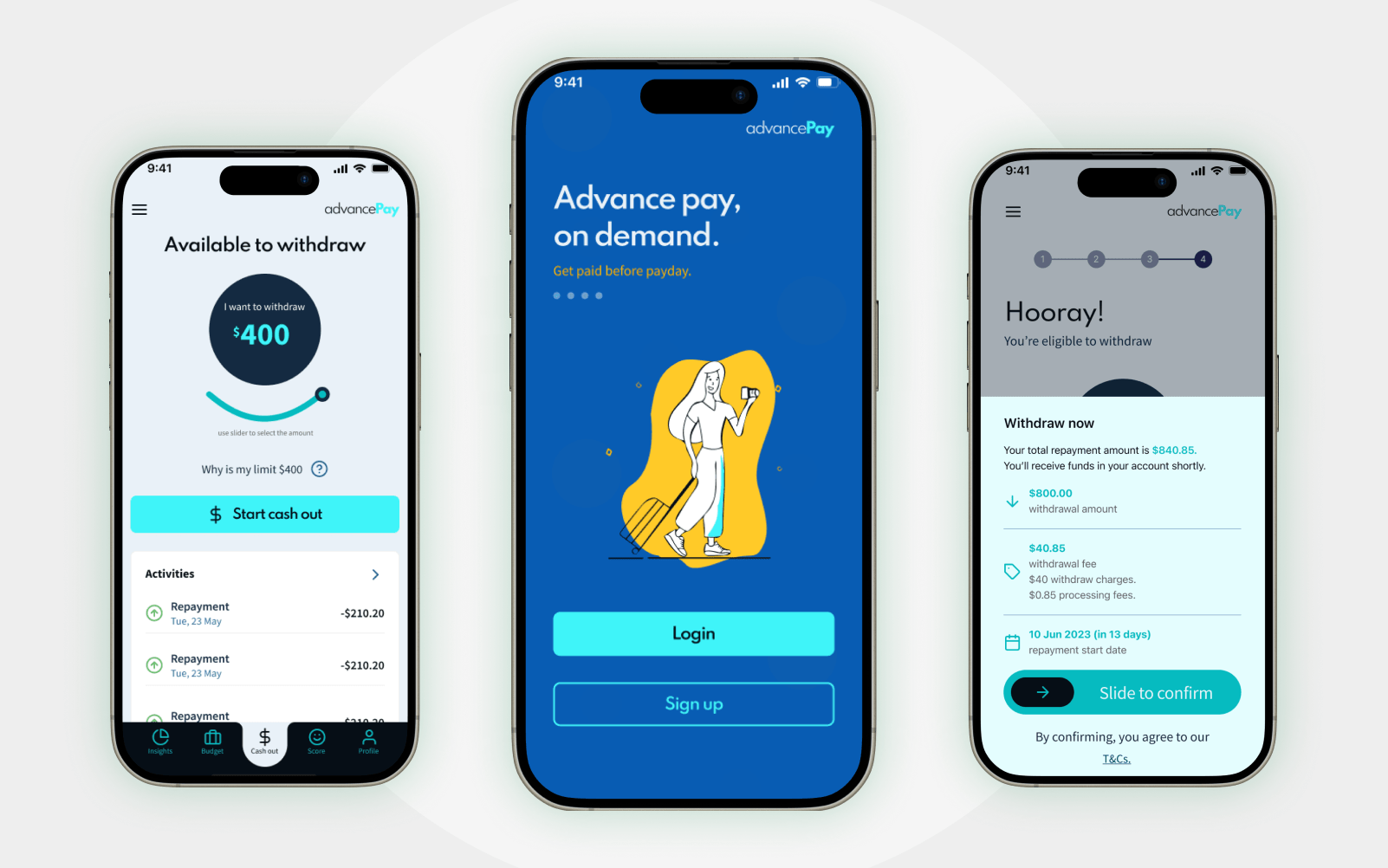
AdvancePay lets people draw down wages they've already earned instead of waiting for payday — sign up, connect a bank account, and cash out in minutes, with every fee shown before you commit.

Role

Product Designer

Year

2023

Platform

iOS

Product DesignUX/UIFintech
AdvancePay
01

The Challenge

Earned-wage-access products live in the same category as payday loans — a category built on hidden fees, shame and friction. The design challenge wasn't the interface alone; it was making a financial product legible: what you owe, what it costs, and when it's due, visible before you ever commit to anything.

Every fee itemised and shown before commit — never a surprise at confirmation

Real bank and employment verification split into visible, explained steps

Repayment status, due dates and amount owing always one tap away

02

My Role & Constraints

A client engagement — product and UX/UI design, end to end, from sign-up through cash-out, delivered as a componentised iOS design system for the client's own engineering team to build. Real bank and employment verification (not a mocked flow) meant every screen had to hold up against genuine API states — loading, error, rejection — not just the happy path.

Scope: product & UX/UI design across the full flow, not the visual layer alone

Constraint: real, non-mocked bank and employment verification

Constraint: iOS only, one connected design system across 40+ screens

03

Product Journey

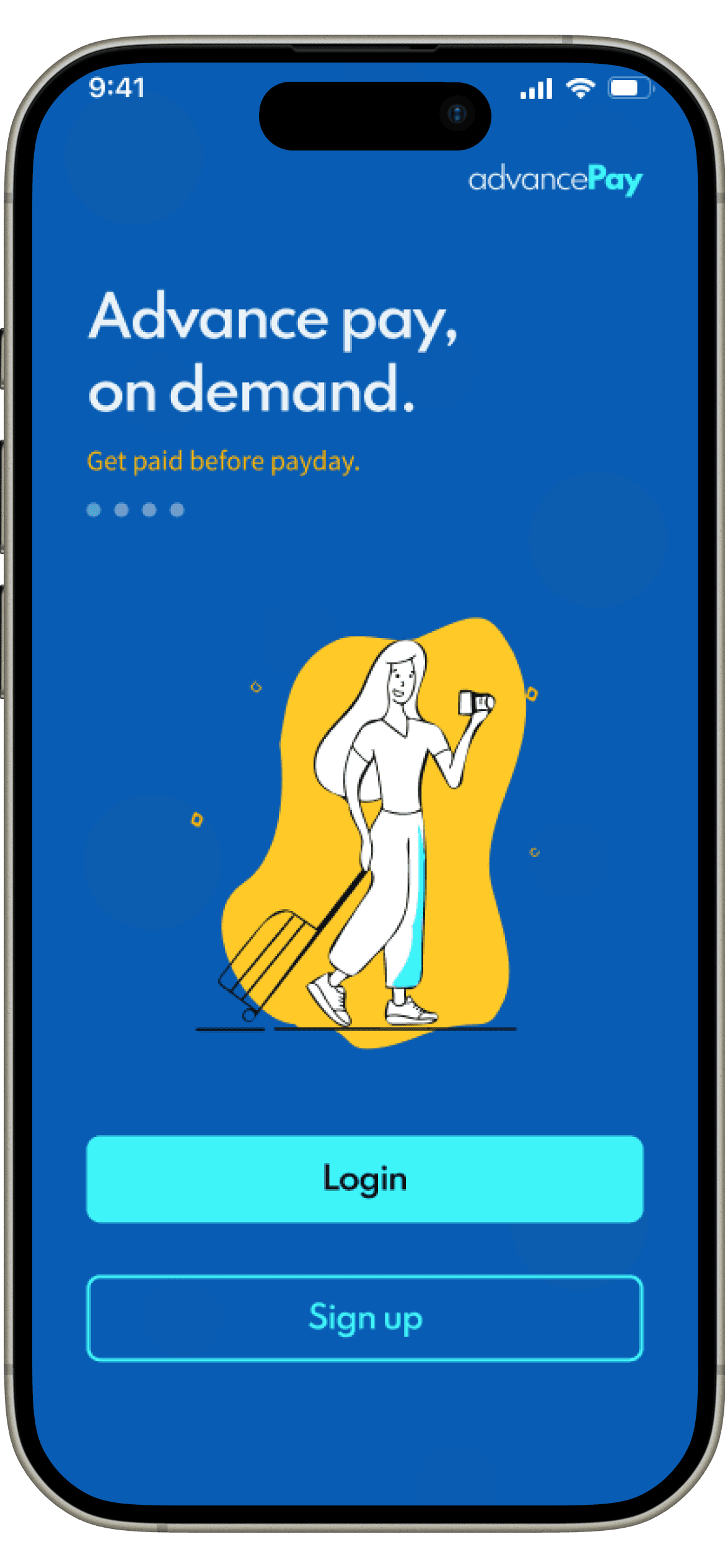
Nine core screens carry the full arc — from first open to a scheduled repayment plan — shown here in the order a person actually moves through them.

Welcome
01

Welcome

Sign in or create an account.

Sign Up
02

Sign Up

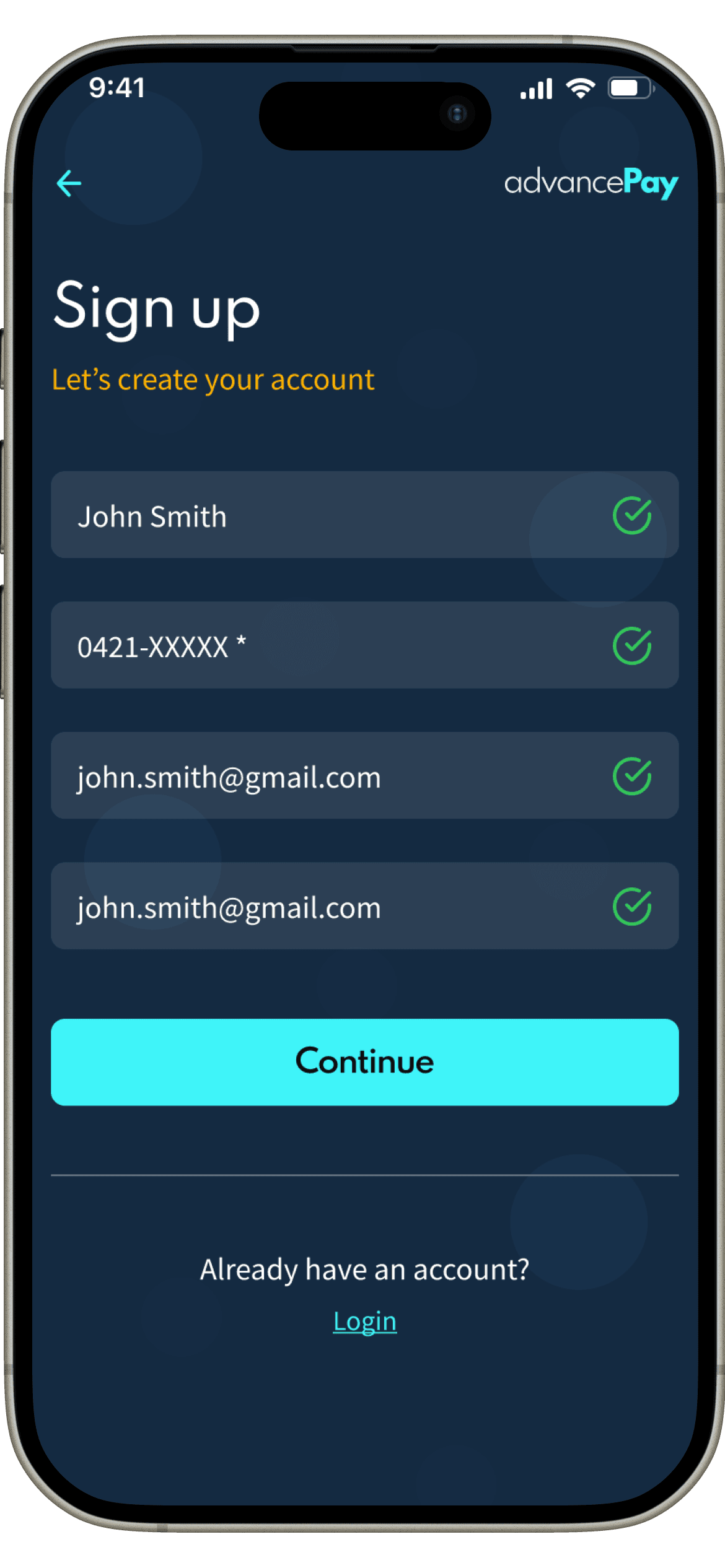
Name, phone and email — three fields, nothing more.

Account Created
03

Account Created

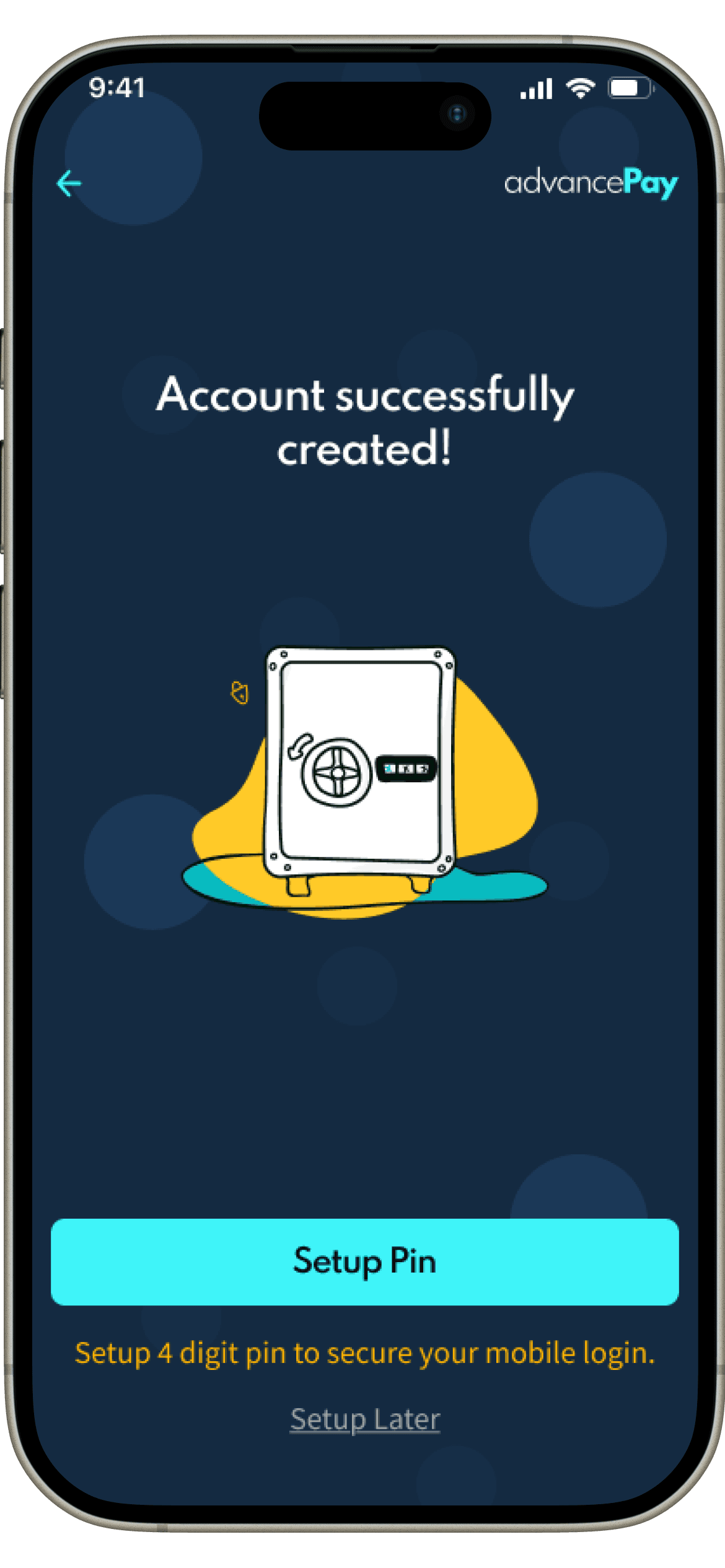
PIN setup offered, not forced — it can wait.

Connect Bank
04

Connect Bank

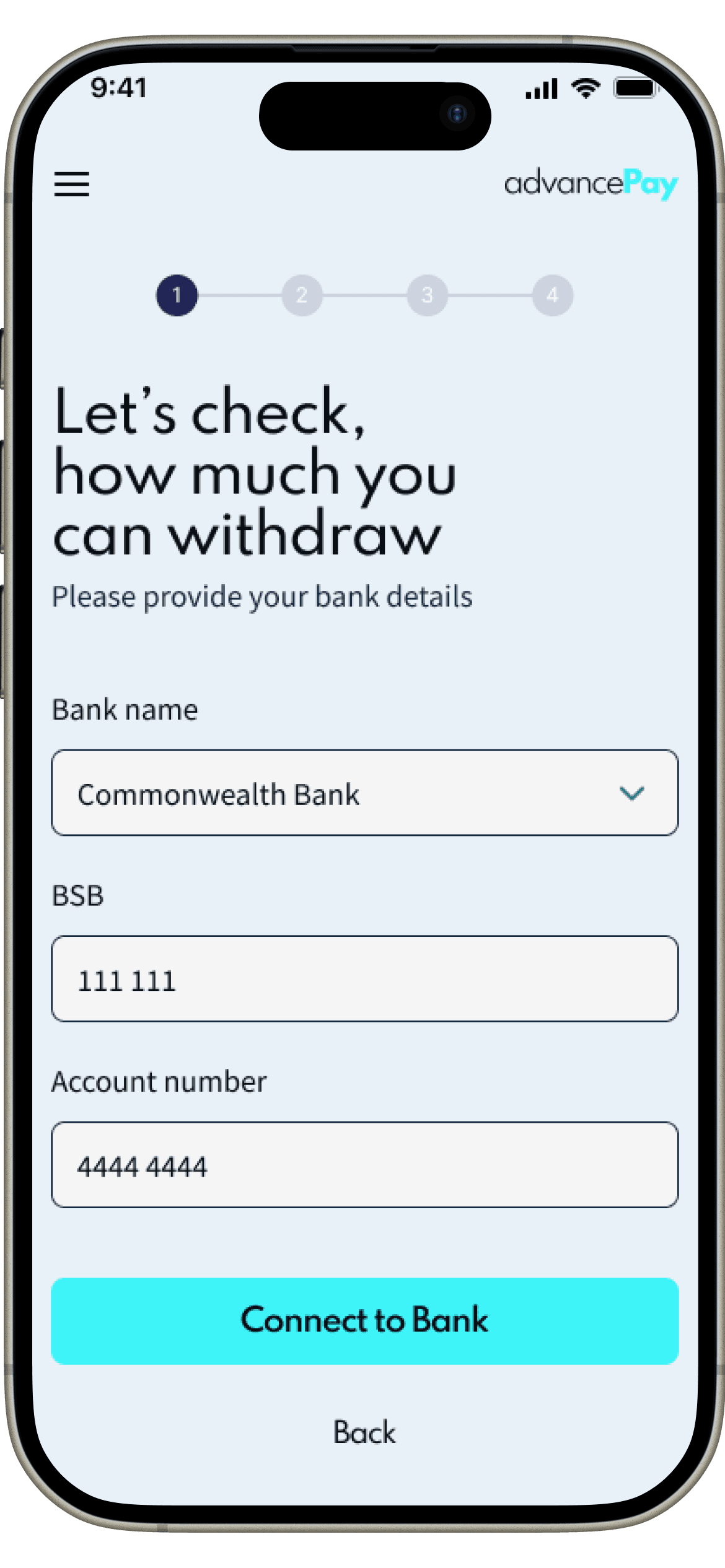
Bank verification, explained before it's requested.

Bank Connected
05

Bank Connected

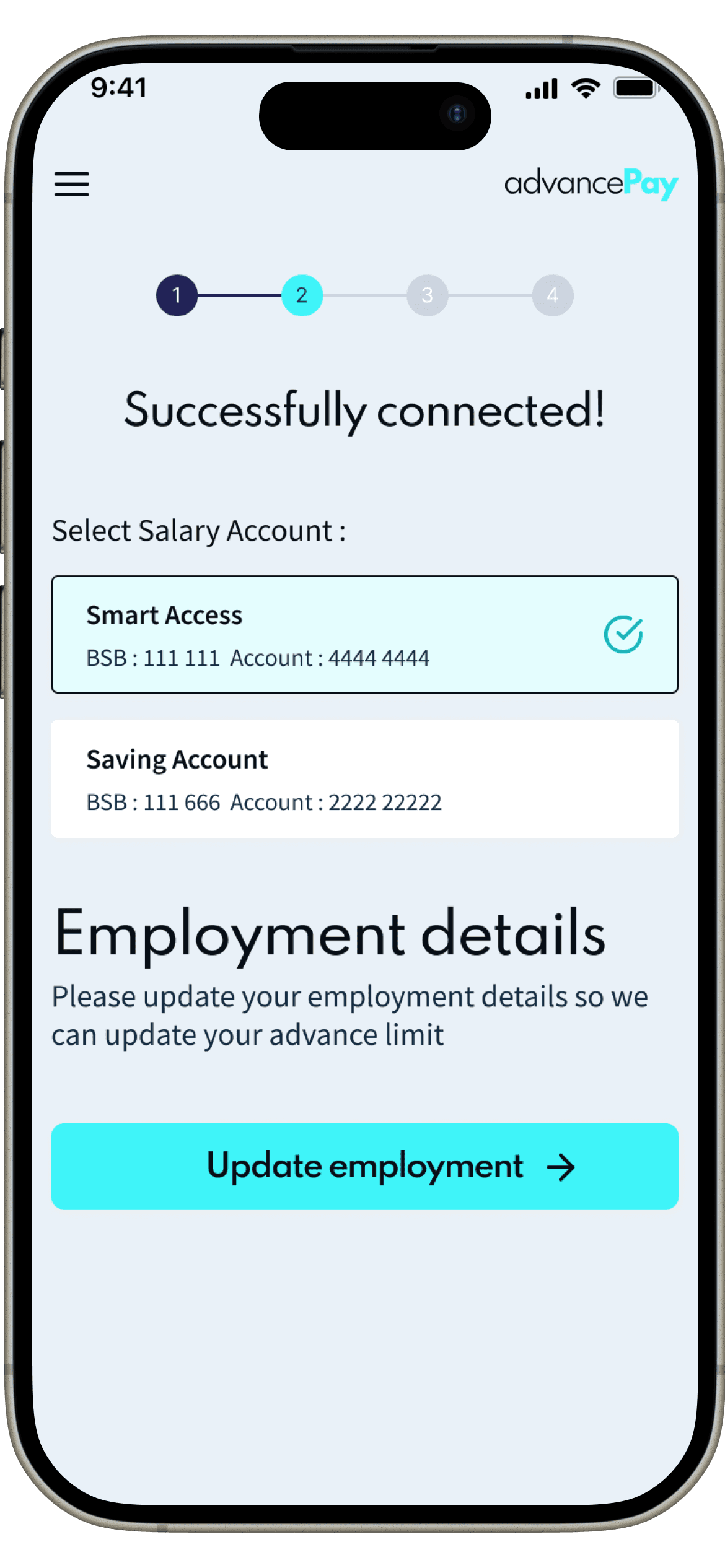
Confirm the account and select the salary account.

Employment Details
06

Employment Details

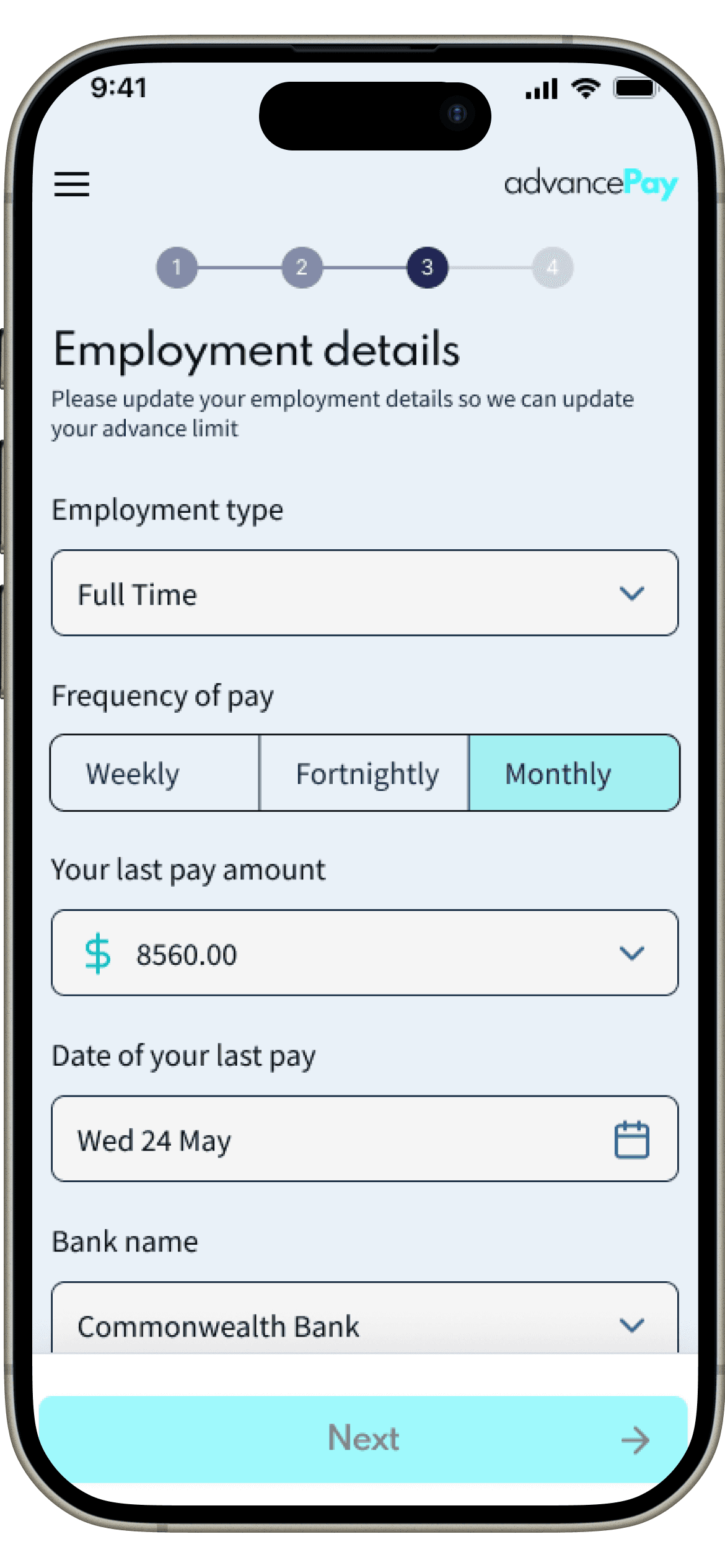
Pay frequency and amount, used to calculate the limit.

Eligible Amount
07

Eligible Amount

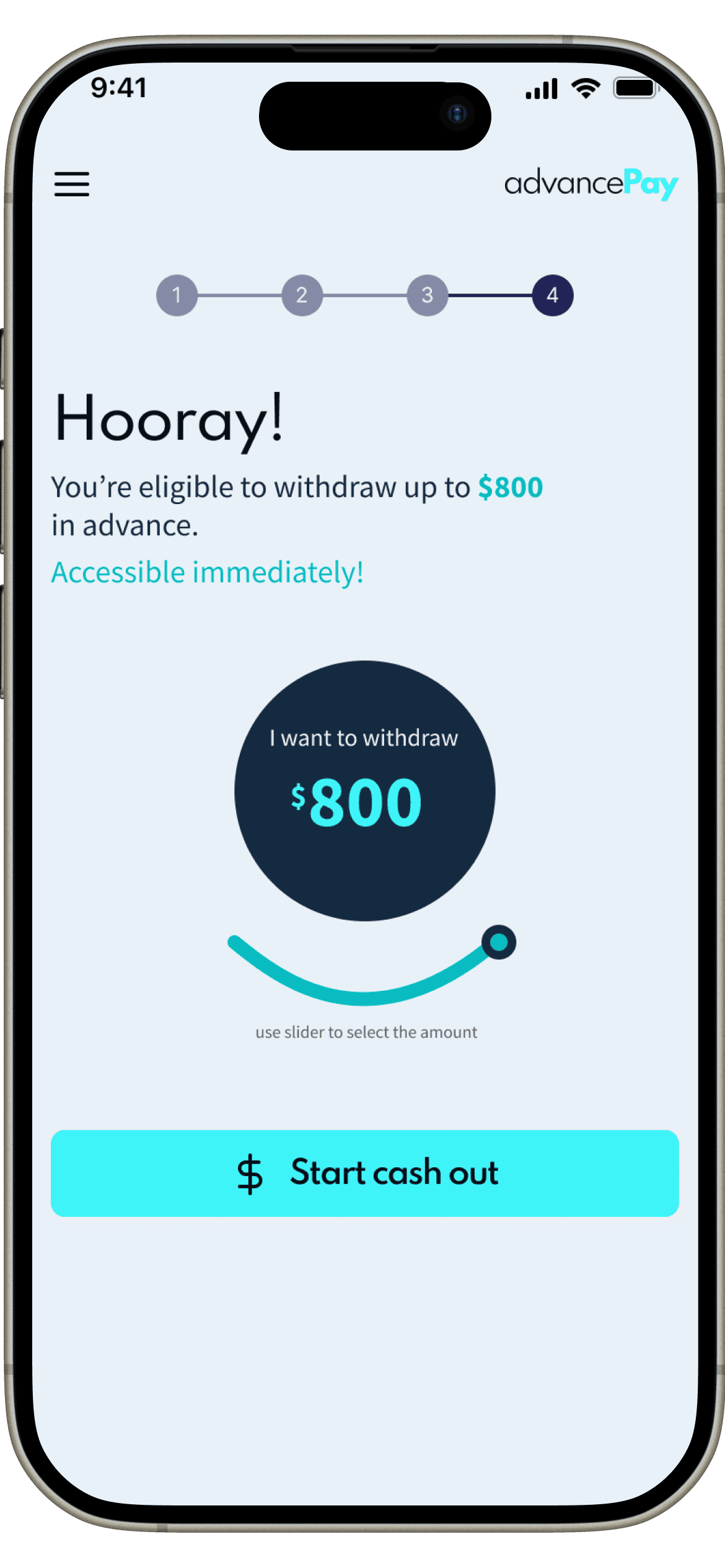
A slider replaces a number field for the cash-out amount.

Confirm Withdrawal
08

Confirm Withdrawal

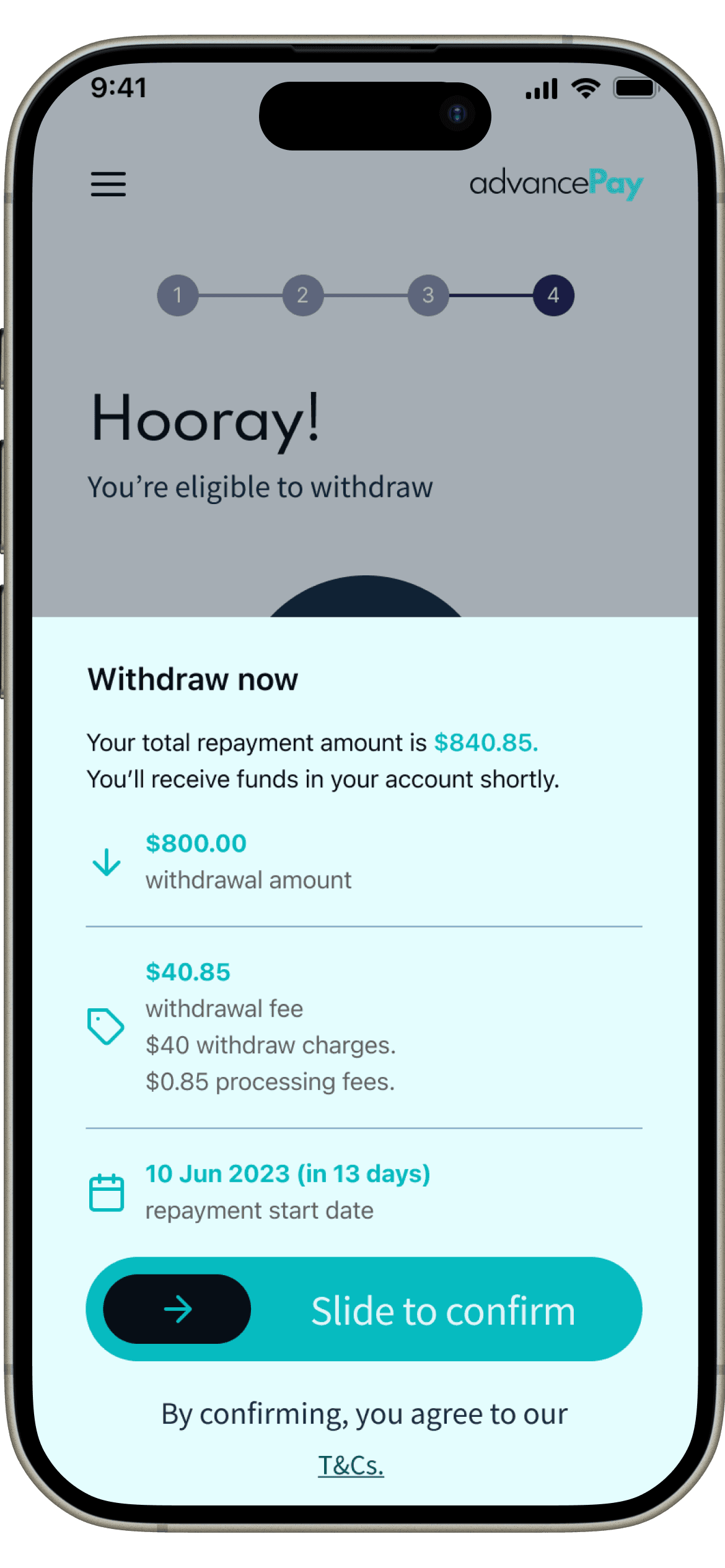
Every fee itemised, a deliberate slide-to-confirm.

Payment Plan
09

Payment Plan

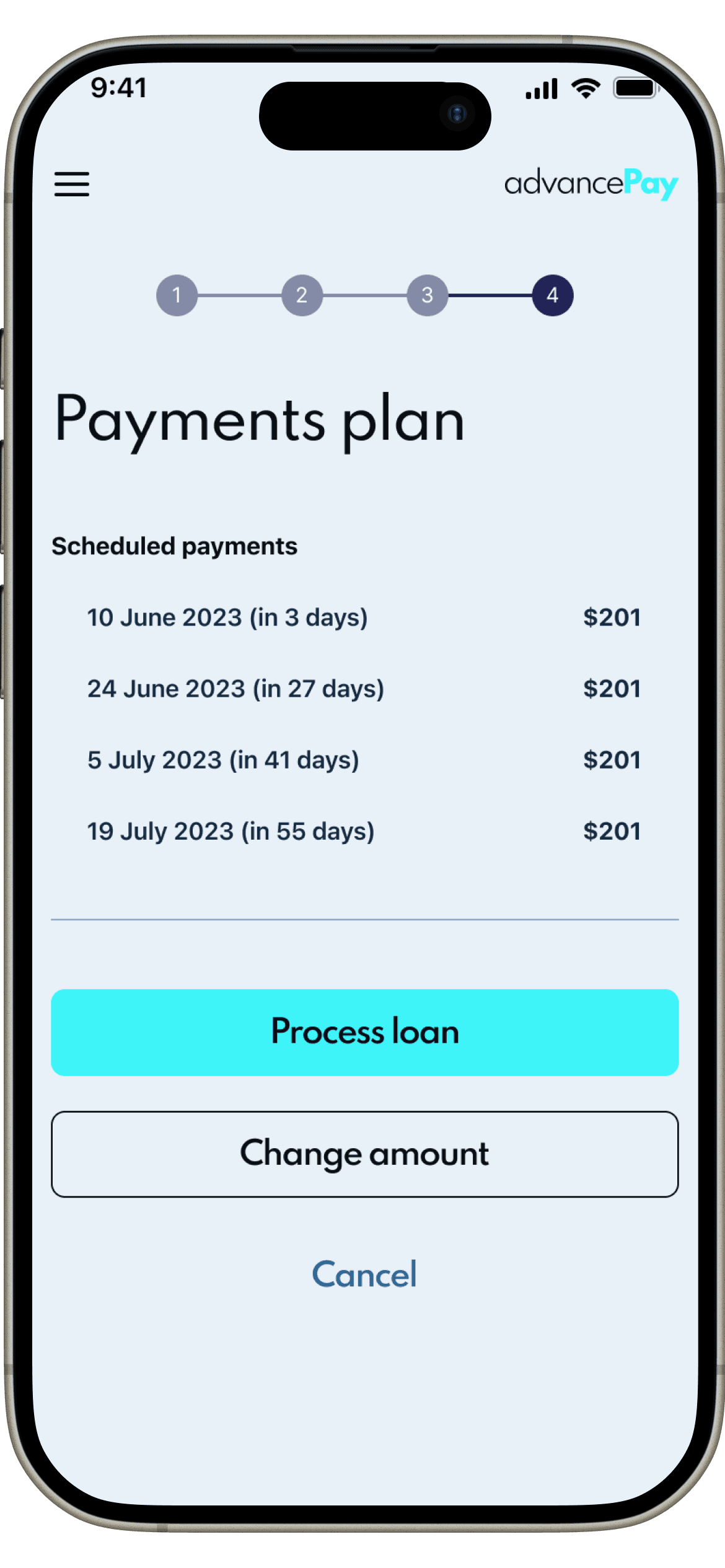
The full repayment schedule, dated and itemised.

04

Simplifying the Application Flow

Four visible steps, not one long form

An early version read like a loan application — one long form, no sense of progress. Splitting verification into four labelled steps, with a persistent step indicator, let people see exactly where they were and what was left, and made it safe to leave the flow partway through.

Employment details step showing a 4-step progress indicator
Step 3 of 4 — always visible
One field group per screen
05

Making Repayment Information Visible

Amount owing, due date and action, together

Repayment terms are usually the fine print. Here the full schedule — every instalment, its date and its amount — sits on its own screen, reachable straight from the withdrawal confirmation, with the next action always one tap away.

Payment plan screen listing four dated instalments
Every instalment dated and itemised
One primary action, no ambiguity
06

Creating Confidence Around Financial Information

Every fee shown before the commitment, not after

The moment a financial product asks for a commitment without showing the full cost first, trust breaks. The confirmation screen totals the repayment amount, breaks the fee down into its two components, and shows the exact repayment start date — all before a slide-to-confirm action, deliberately harder to trigger by accident than a tap.

Confirm withdrawal screen itemising fees before commit
Total repayment shown upfront
Fee broken into its two parts
Slide, not a tap
07

Collaboration & Delivery

Delivered as a componentised iOS design system, not a set of static screens — one progress-indicator, one card pattern, reused across all four verification steps, so the client's engineering team could build from a shared spec instead of interpreting one-off screens. Every flow was specced for loading, error and empty states alongside the happy path, and real-time validation was defined per field to remove engineering guesswork.

08

Outcome & What I Learned

The flow shipped as a design system ready for engineering handoff — nine core screens, one connected system, 40+ screens in total. No usage data exists yet to report, so no conversion or completion numbers are claimed here.

Trust in fintech is a sequencing problem, not a compliance checkbox — explain first, ask second, and friction stops feeling like friction

09

What I'd Validate Next

This is a finished interface, not a tested one. If this product moved into further development, here's what I'd want to validate first:

Application completion — where people actually drop off across the four verification steps

Comprehension of the fee breakdown at the confirmation step, without prompting

Whether the repayment schedule is understood correctly on first read

Time and friction to complete bank and employment verification end to end

Accessibility of the slider-based amount selector for screen-reader and motor-impaired users

Recovery paths when bank or employment verification fails

The Final Experience

AdvancePay welcome screen with login and sign up optionsWelcome
AdvancePay sign up screen collecting name, phone, and emailSign Up
AdvancePay account confirmation screen prompting PIN setupAccount Created
AdvancePay bank connection form for checking withdrawal eligibilityConnect Bank
AdvancePay screen confirming bank connection and selecting a salary accountBank Connected
AdvancePay employment details form for calculating advance limitEmployment Details
AdvancePay screen showing eligible withdrawal amount with an amount sliderWithdraw Amount
AdvancePay withdrawal confirmation screen showing fees and repayment start dateConfirm Withdrawal
AdvancePay scheduled repayment plan across four installmentsPayment Plan

Have a similar project in mind?

Let's talk about what you're building and how I can help you ship it.

Next case study

StakeMate