Back to work
//Mobile Application

StakeMate

Designing a poker bankroll and partnership management platform

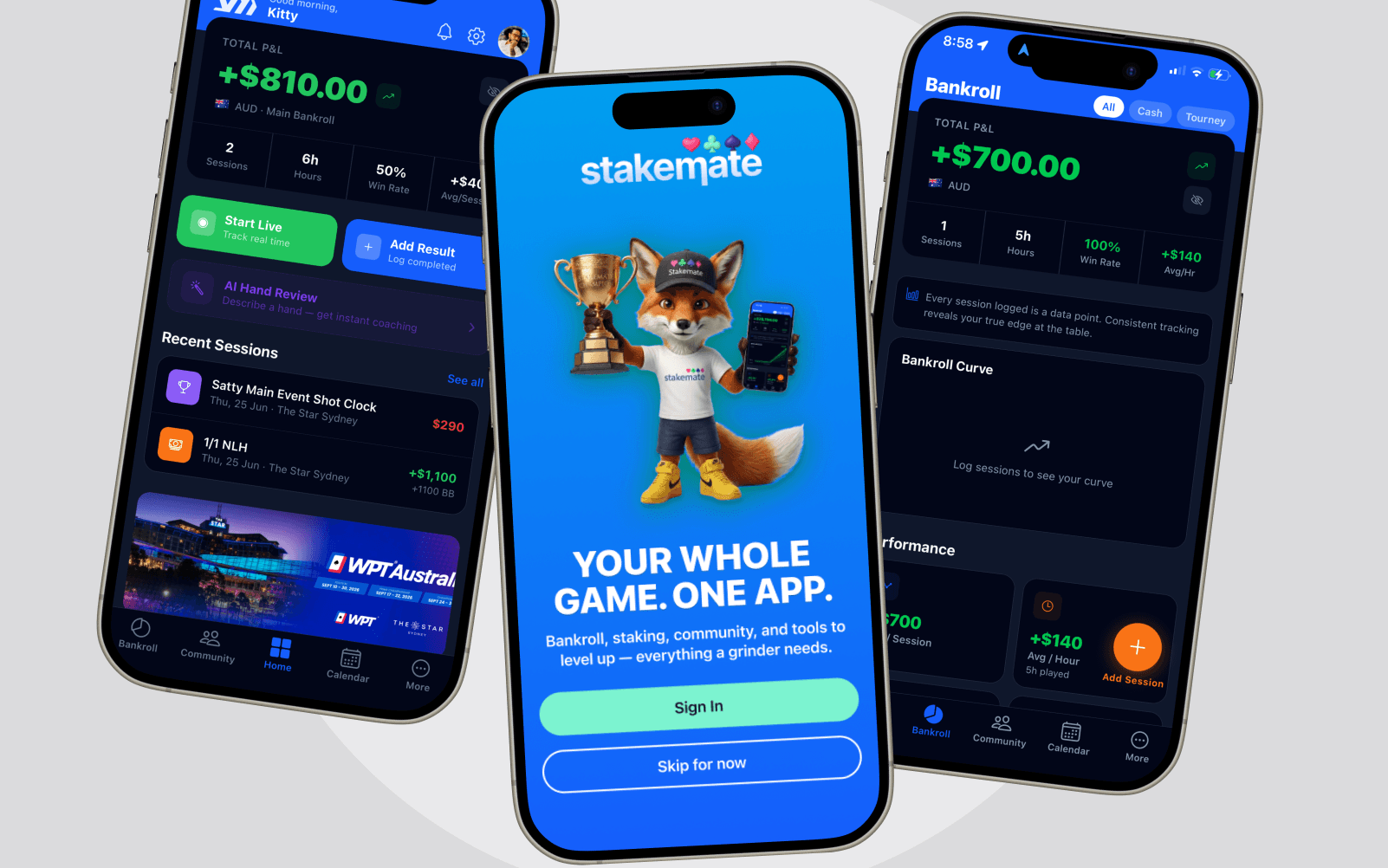
StakeMate brings bankroll tracking, staking and community into a single connected app instead of a spreadsheet, a group chat, and a handful of bookmarked tools.
Role

Product Designer / Founder

Year

2024

Platform

iOS

Product DesignUX/UIProduct Strategy
StakeMate
01

The Problem

Poker players typically run their game out of scattered tools — a spreadsheet for bankroll, a notes app for sessions, group chats for staking arrangements, a handful of bookmarked sites for tournaments and strategy. None of it talks to the others, and none of it reflects the community they actually play with.

02

My Role & Constraints

An independent product — product strategy, UX/UI and the connected data model behind it, owned solo from concept through to a working app. The real constraint wasn't any one feature; it was scope: six tool areas (bankroll, staking, community, tournaments, strategy tools, and the subscription that funds it) competing for one home screen, with no team to split the work across.

Scope: product strategy, UX/UI and information architecture, solo, end to end

Constraint: six connected feature areas sharing one home screen and one data model

Constraint: a free-to-paid boundary that had to feel like part of the product, not bolted on

03

Product Vision

Track → Analyse → Manage → Improve

StakeMate brings six areas — bankroll, sessions, staking, community, tournaments and strategy tools — into one app built around a single connected data model, so logging a session once updates the dashboard, a staking listing and the community feed together.

Bankroll — total P&L, sessions, win rate and per-session average, tracked live or logged after the fact

Staking — a peer-to-peer marketplace for buying and selling action, with plain buy-in / selling % / price figures

Community — a feed for posting sessions, following players and running staking deals in the open

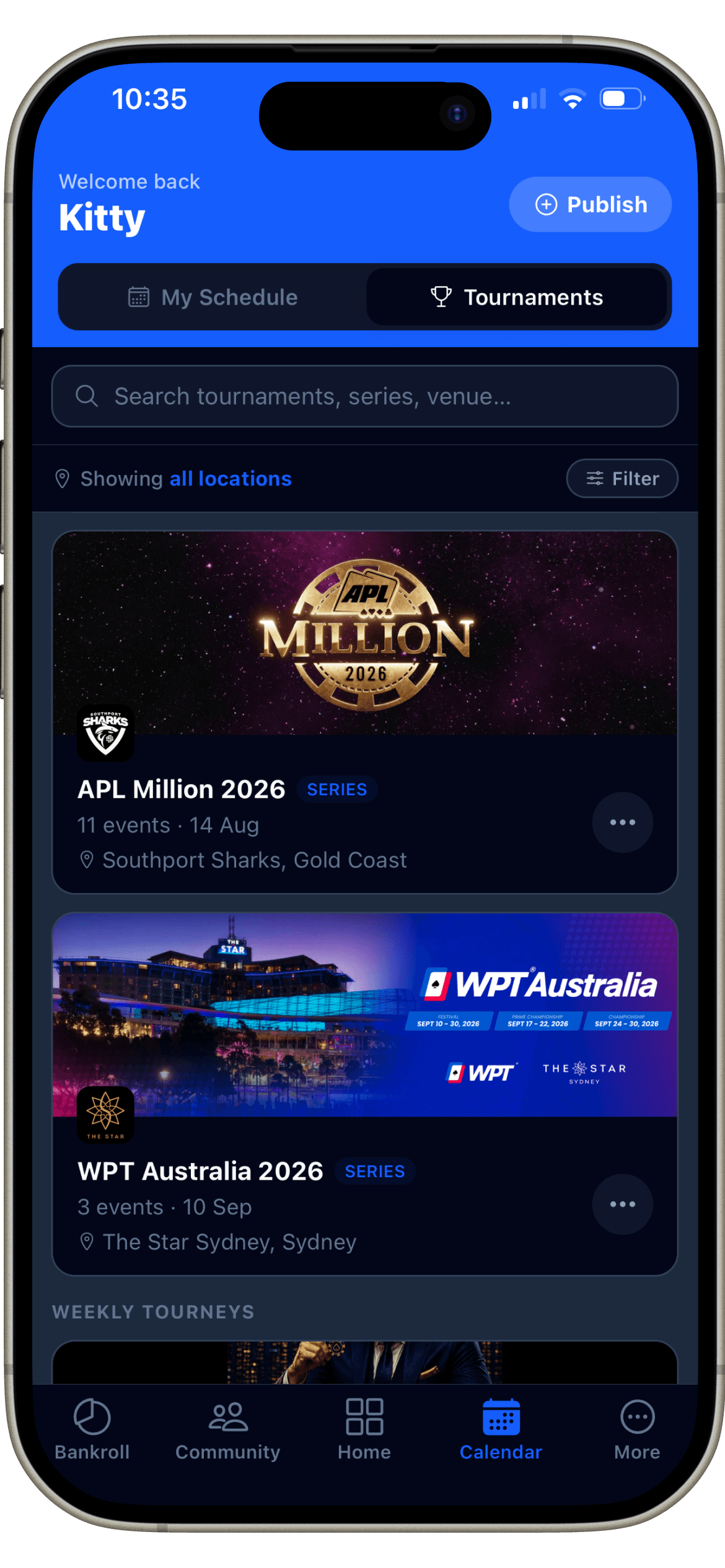
Tournaments — a searchable directory of series and events, plus a personal schedule

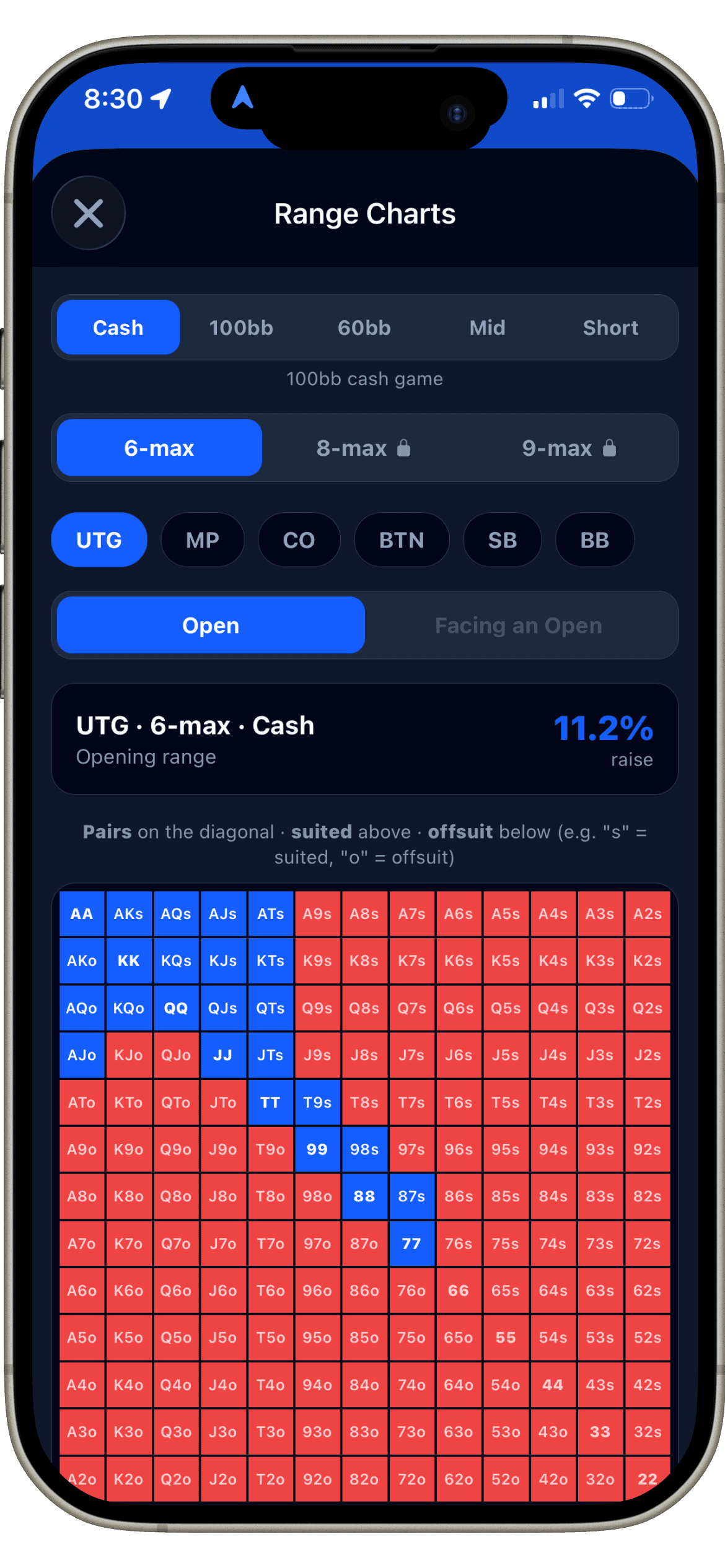
Tools — GTO preflop range charts and AI-assisted hand review, built into the same app

04

Information Architecture

The product reads as five tabs. What's not visible from the tab bar is that staking isn't a separate section — it's a set of posts inside Community, so a staking listing is a community post, not a second, disconnected system.

StakeMate
Homedashboard
Total P&L, sessions, win rate
Quick actions — Start Live / Add Result
AI Hand Review
Configurable modules
Bankroll
Sessions
Transactions
Performance
Community
Public / Following feeds
Stakes — buy & sell staking listings
Backed — deals you've invested in
Calendar
My Schedule
Tournaments directory
More
Range Charts
Elite subscription
05

Feature Deep Dive — Bankroll

Bankroll status, understandable at a glance

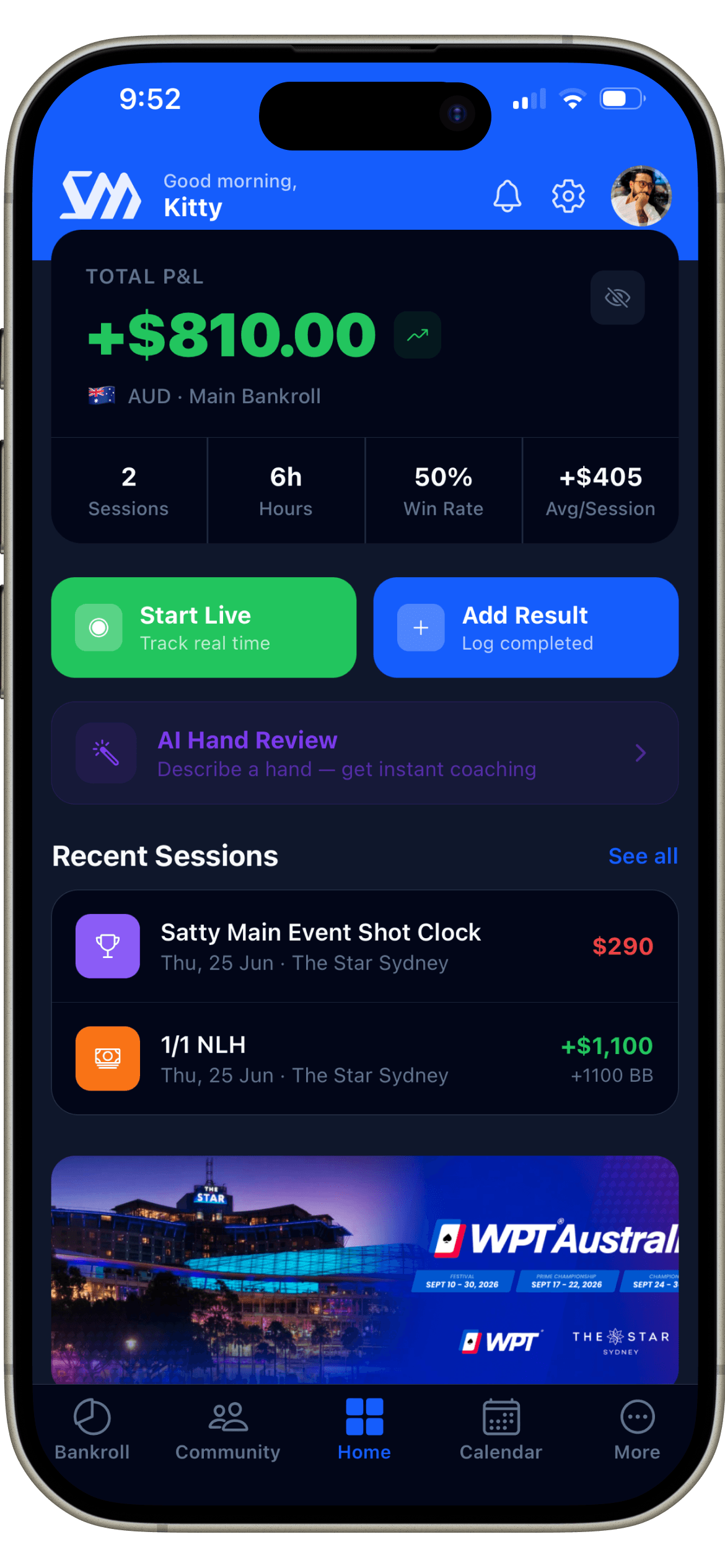
Bankroll is the screen a player opens most, often mid-session. The problem wasn't fitting in enough data — it was choosing which four numbers actually answer "how am I doing right now", and making the primary actions reachable without scrolling.

StakeMate dashboard showing total P&L and quick actions
P&L first, the rest supports it
Four numbers, not forty
Two primary actions
06

Separating Financial Tracking from Poker Performance

Staking lives in the community, not a back office

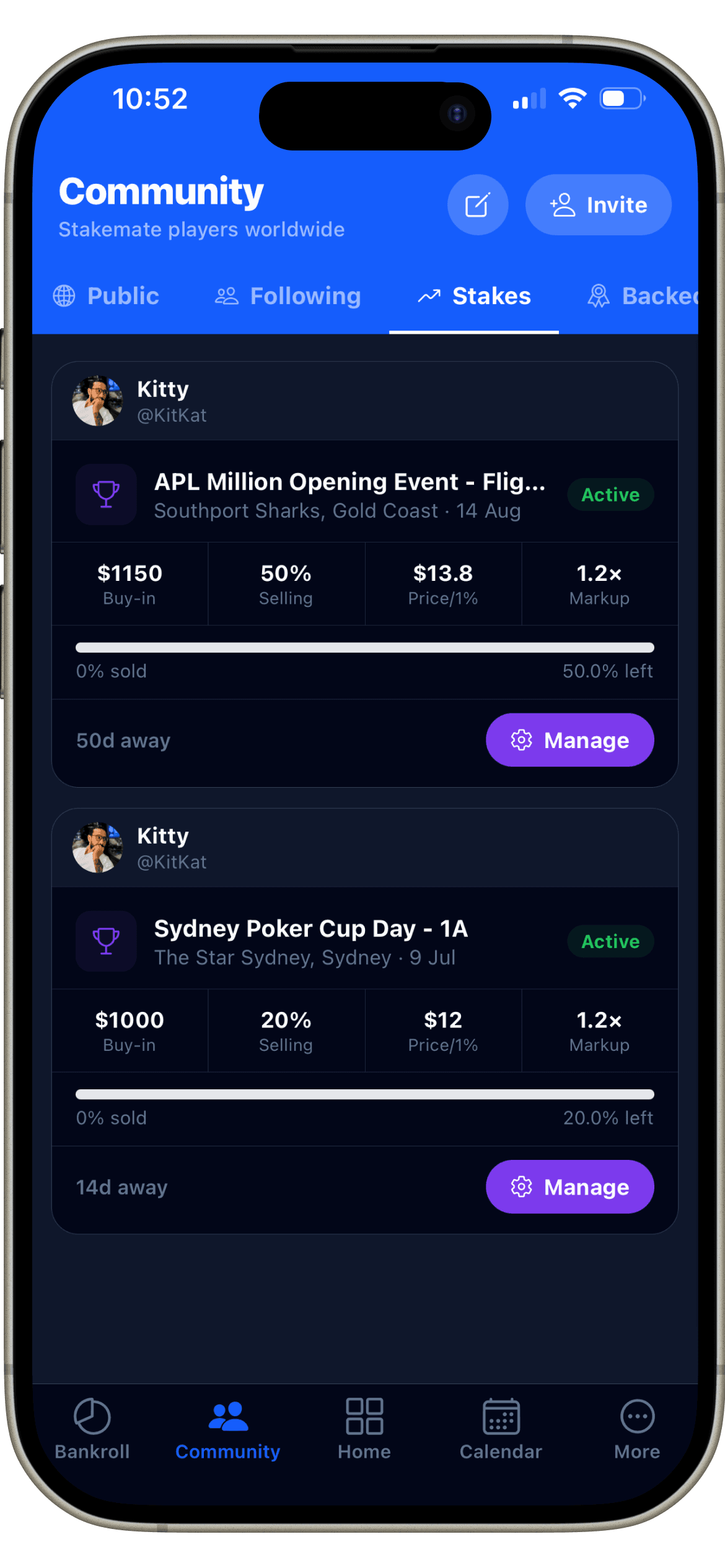
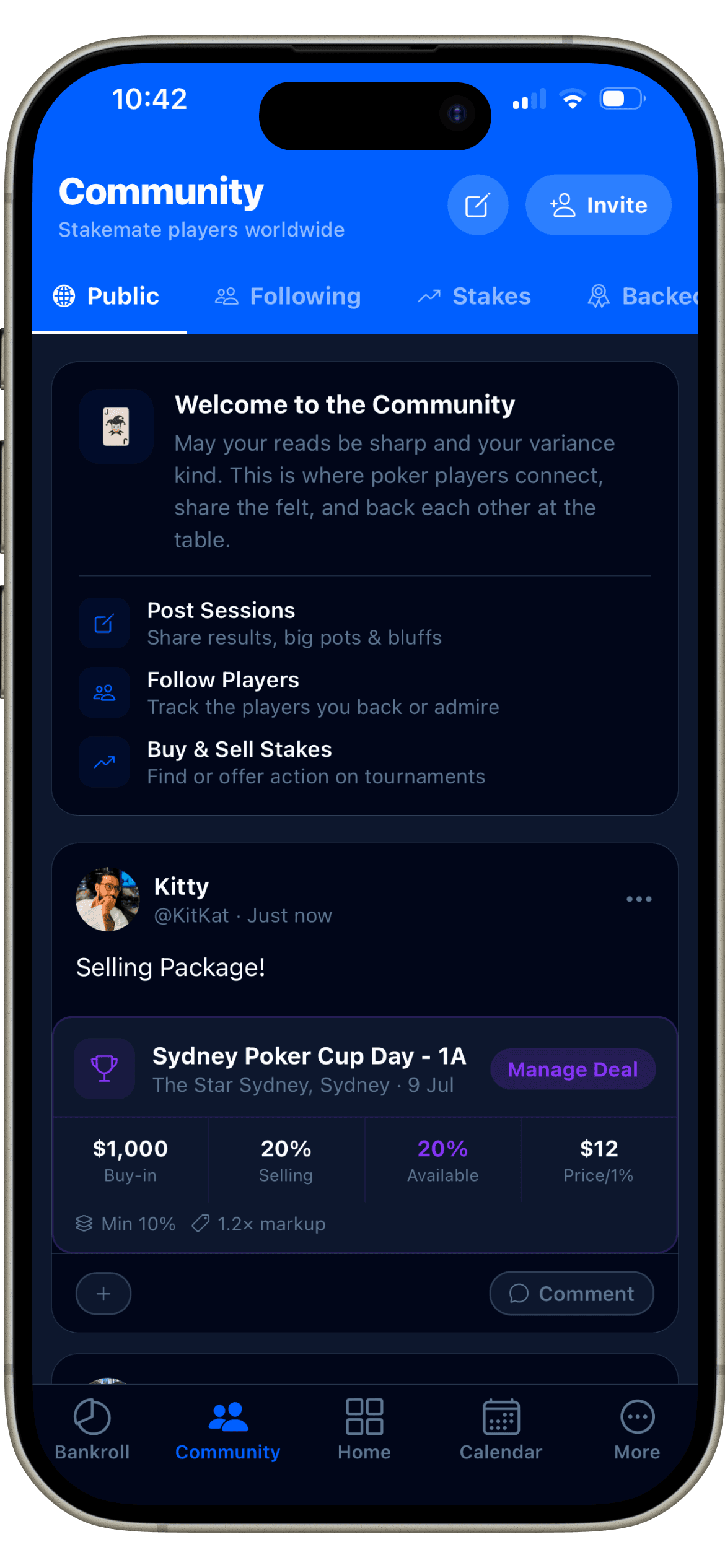
Staking arrangements are inherently social — they're between people who already follow each other's results. Rather than a separate staking dashboard, listings are posts inside Community: buy-in, percentage sold and price per 1% shown as plain numbers on the post itself, with a direct action to manage the deal.

Community feed showing a staking listing embedded in a post
Plain numbers, not a DM
Manage deal inline
07

Making the Dashboard Configurable

A dashboard that adapts, not a fixed layout

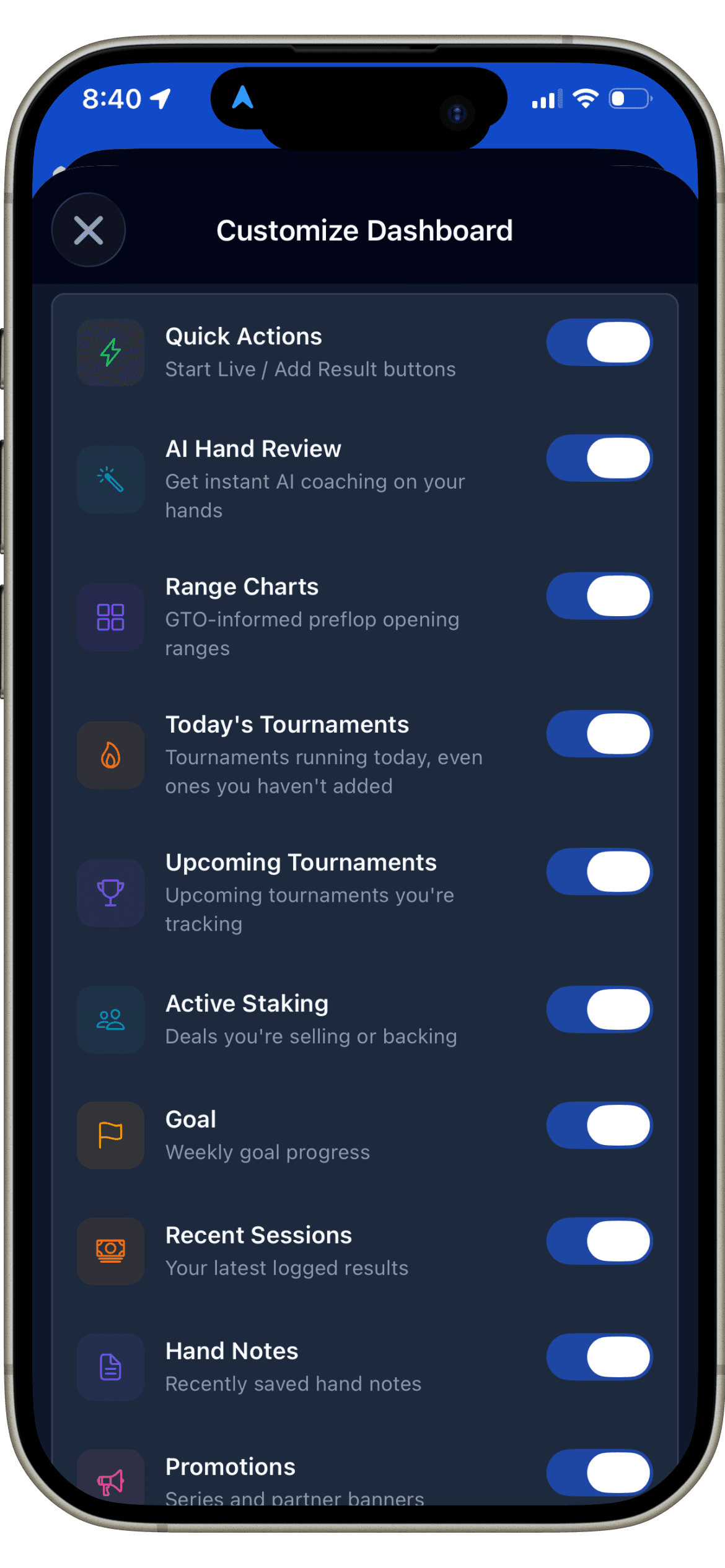
An early version showed every player the same fixed set of modules. It felt cluttered as soon as a second tool area shipped — not every player uses Range Charts or tracks a weekly goal. The fix was making each dashboard module independently toggleable, so the home screen only shows what a given player actually uses.

Customize Dashboard screen with a toggle per module
Each module is toggleable
08

Product Evolution

The product grew from a single idea outward, not from a fixed spec.

Initial concept

A personal bankroll tracker — one problem, one screen.

MVP

Sessions and a dashboard, enough to replace the spreadsheet.

Current product

Six connected areas — bankroll, staking, community, tournaments and strategy tools — sharing one data model.

Future direction

Deeper AI coaching and a more open staking marketplace, building on the Elite tier already in the product.

09

Collaboration & Delivery

Built solo, end to end — from the onboarding flow through the range-chart module to the paywall — with no separate handoff between design and build. Every screen was designed against the same data model it would ultimately run on, so the interface and the underlying structure never drifted apart.

10

Outcome & What I Learned

The result is a working product — six connected tool areas and one data model, not a set of unshipped mockups. It hasn't been in market long enough to report user or revenue numbers honestly, so none are claimed here.

A configurable dashboard isn't a nice-to-have past three tool areas — it's the only way the home screen stays usable at all

11

What I'd Validate Next

Here's what I'd want to test if this moved further:

Usability of live session recording versus after-the-fact logging, for the same player

Comprehension of bankroll analytics — whether the four dashboard numbers answer the question players actually have

Clarity of the staking workflow for a first-time buyer of a stake

Whether staking living inside Community is discoverable, or reads as buried

Onboarding comprehension across the six-step first-run flow

Navigation efficiency between Home, Bankroll and Community for a daily-active player

A closer look

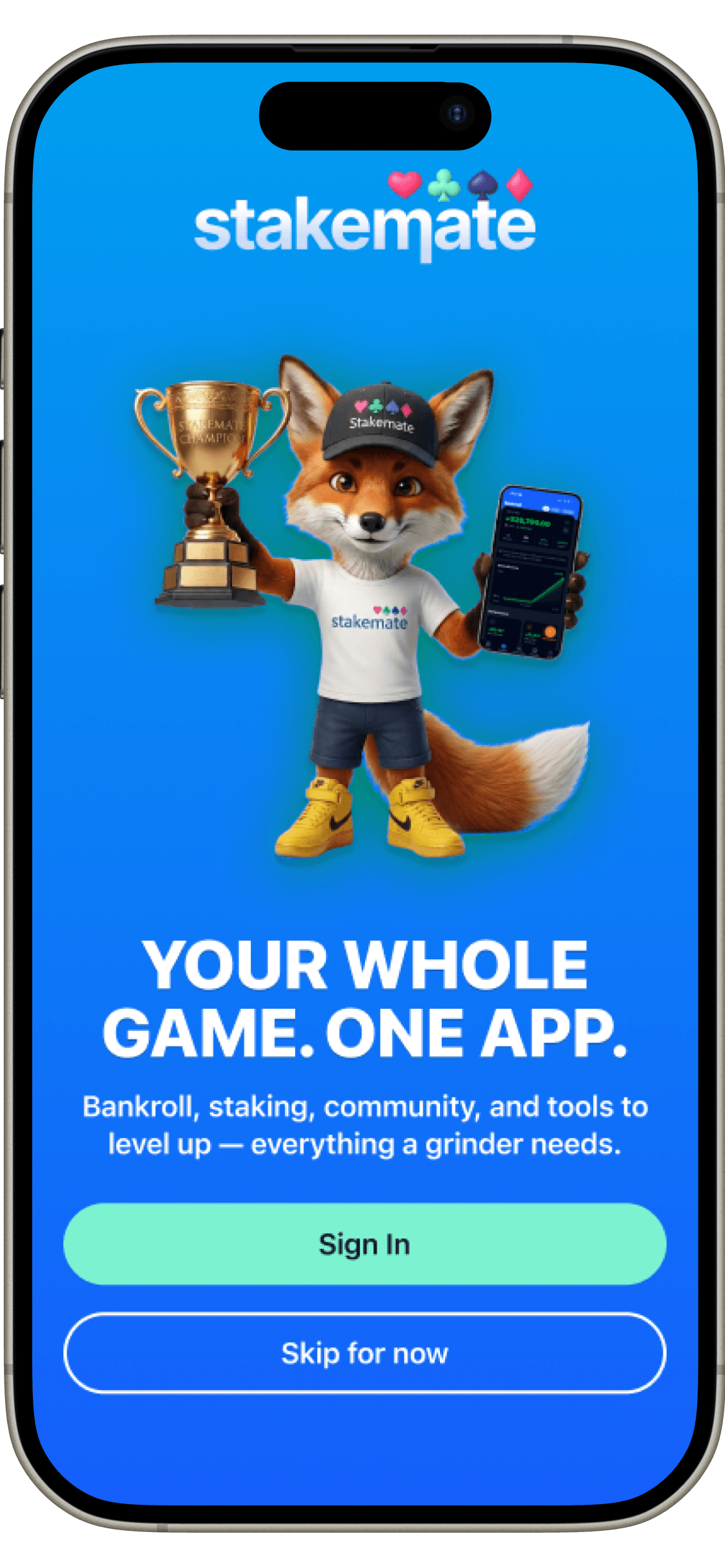
Stakemate welcome screen introducing bankroll, staking, community, and toolsWelcome
Stakemate home dashboard showing total profit and loss, sessions, and recent resultsDashboard
Stakemate staking marketplace showing active listings and sale progressMarketplace
Stakemate community feed with staking posts and shared session resultsCommunity
Stakemate tournament directory listing upcoming poker seriesTournaments
Stakemate GTO preflop range chart toolRange Charts
Stakemate dashboard customization screen with toggles for each home screen moduleCustomise
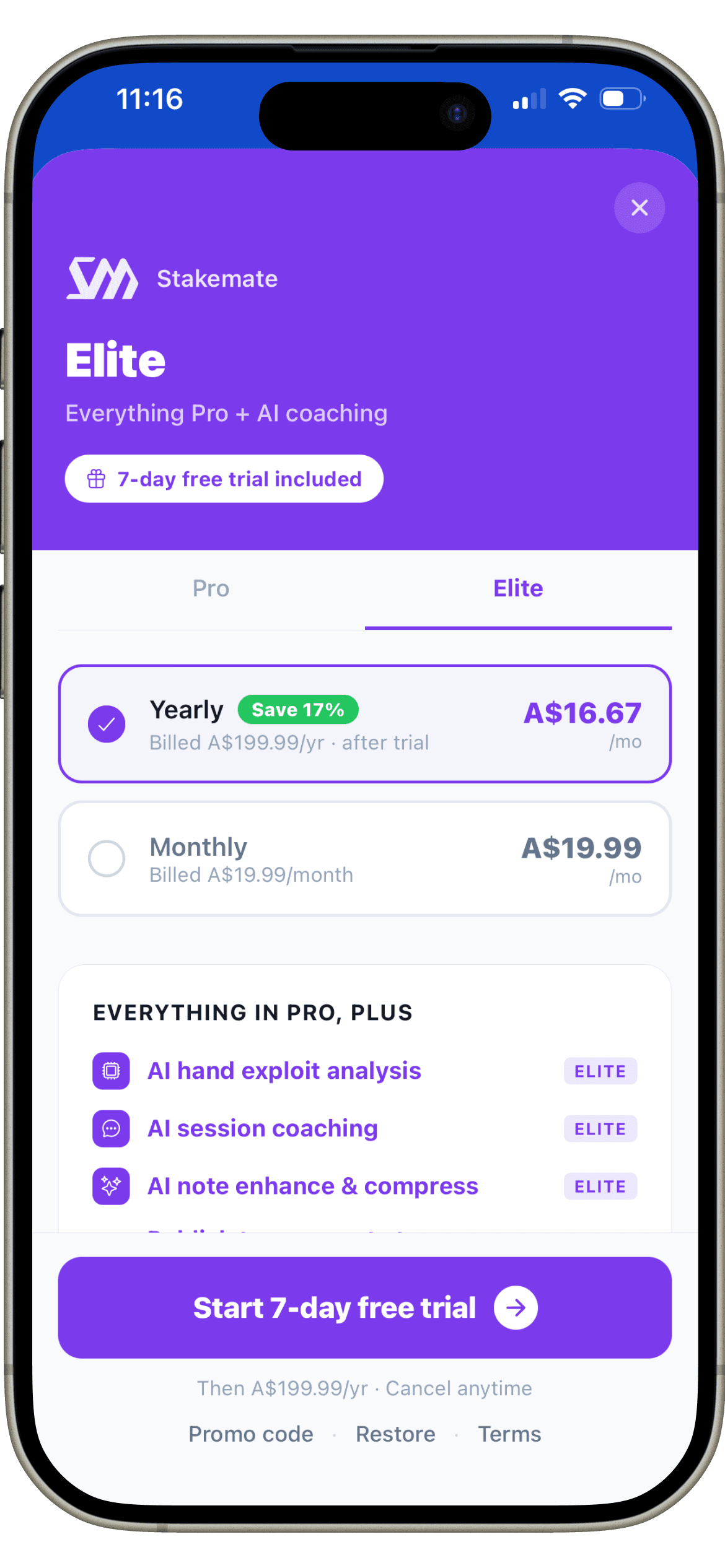
Stakemate Elite subscription paywall showing yearly and monthly pricingElite Paywall

Have a similar project in mind?

Let's talk about what you're building and how I can help you ship it.

Next case study

Design System